Track Local Weather Data in DataJot
Create personal weather logs in DataJot for outdoor temperature, rain, wind, humidity, and other local observations.
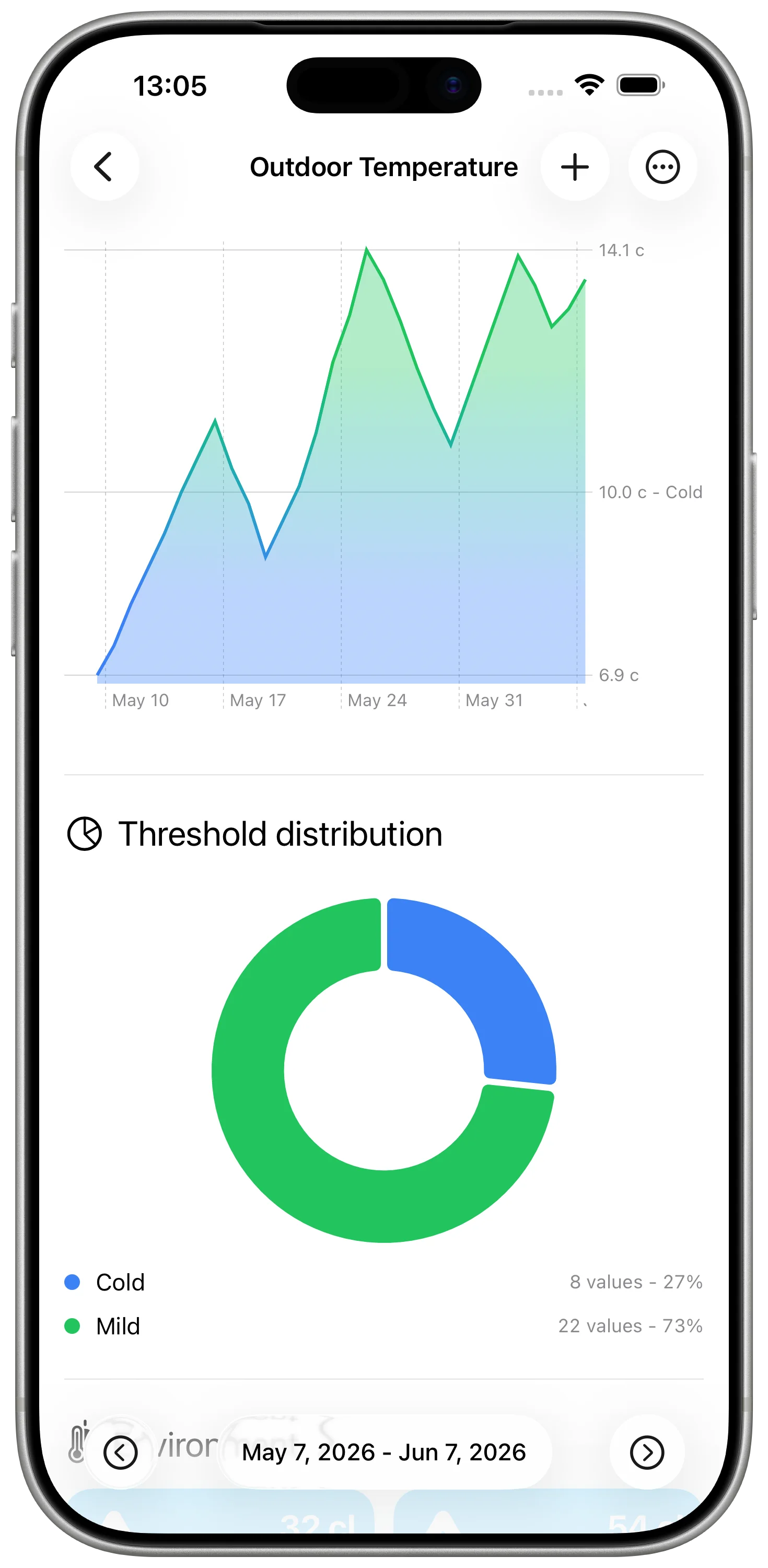
Weather apps are great for forecasts, but they are not always designed for your own observations. If you want to keep a simple local weather history, DataJot can store outdoor temperature, rain, wind, humidity, or any other value you want to track.
This is useful when you care about a specific place: your garden, balcony, greenhouse, workshop, running route, or home office.
What Weather Data Can You Track?
DataJot works well for numeric weather observations, including:
- outdoor temperature;
- rainfall amount;
- wind speed;
- humidity;
- air pressure;
- UV index;
- subjective comfort score.
You can enter values manually, use widgets for quick logging, or connect values through Apple Shortcuts when you have a source available.
Create the Weather Series
Create the series around the measurement you can record consistently.
For outdoor temperature, use a temperature unit and record the value at the same moments each day. For rain, use a volume or depth unit. For wind, use the speed unit your source provides.
Keep each weather metric in its own series. A temperature curve and a rainfall log do not answer the same question.
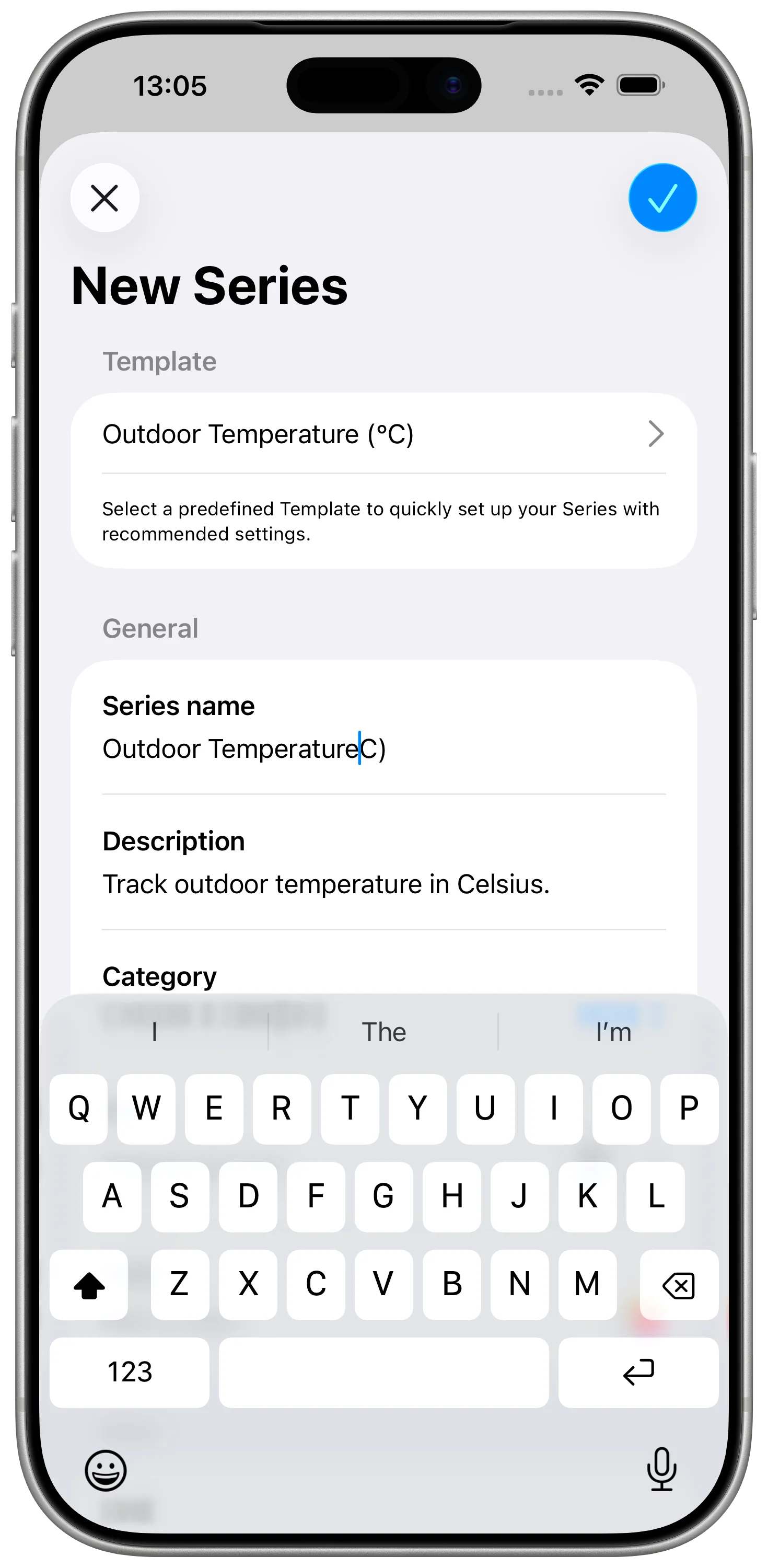
For common weather values, you can start from Outdoor Temperature, Humidity, or Outdoor Air Quality. For rainfall, wind, or a personal score, create a custom series and set the unit yourself.
Manual Weather Logging
Manual logging is often enough for personal weather notes.
For example, each morning you can record:
- outdoor temperature;
- rain amount or a simple rain score;
- wind speed or wind comfort;
- a note-like numeric rating if you use a custom scale.
After a few days, the chart shows whether the value is stable, seasonal, or tied to specific routines like watering plants or airing a room.
Using Shortcuts
If you have a weather value available through Apple Shortcuts, you can save it to DataJot.
A shortcut can:
- get a weather value;
- extract the numeric field you care about;
- add that value to a DataJot series;
- run from a widget, automation, or manual shortcut.
Keep each shortcut focused on one metric. It is easier to fix a temperature shortcut than a shortcut that tries to record temperature, rain, humidity, and wind at the same time.
Compare Weather with HomeKit Data
Weather tracking becomes more interesting when you compare it with indoor data.
For example:
- outdoor temperature vs. bedroom temperature;
- humidity outside vs. bathroom humidity;
- rainy days vs. indoor comfort;
- hot afternoons vs. office temperature.
If you already record HomeKit temperature history, link the outdoor series to your indoor charts mentally or by checking both in DataJot.
For the HomeKit side, see Track HomeKit Temperature History with Apple Shortcuts.
Example Setup: Outdoor vs Indoor Temperature
One useful setup is to track outdoor temperature next to a HomeKit indoor temperature series.
For example:
- Outdoor Temperature records the local outside value each morning and evening.
- Bedroom Temperature records the HomeKit sensor value every 30 or 60 minutes.
- After a few days, compare both curves in DataJot.
This shows how much the room follows the outside weather, how quickly it cools overnight, and whether heating or insulation changes the pattern.
In Short
DataJot can turn local weather observations into a personal history. Outdoor temperature, rainfall, wind, and humidity become more useful when you compare them with indoor HomeKit data from the same period.