DataJot 1.5 focuses on two essential moments: understanding what your data is telling you and moving it easily when you need to.
The series page has been redesigned to make history and statistics easier to explore. Import and export have evolved too: multiple series can now be handled together in a single file.
A redesigned series page
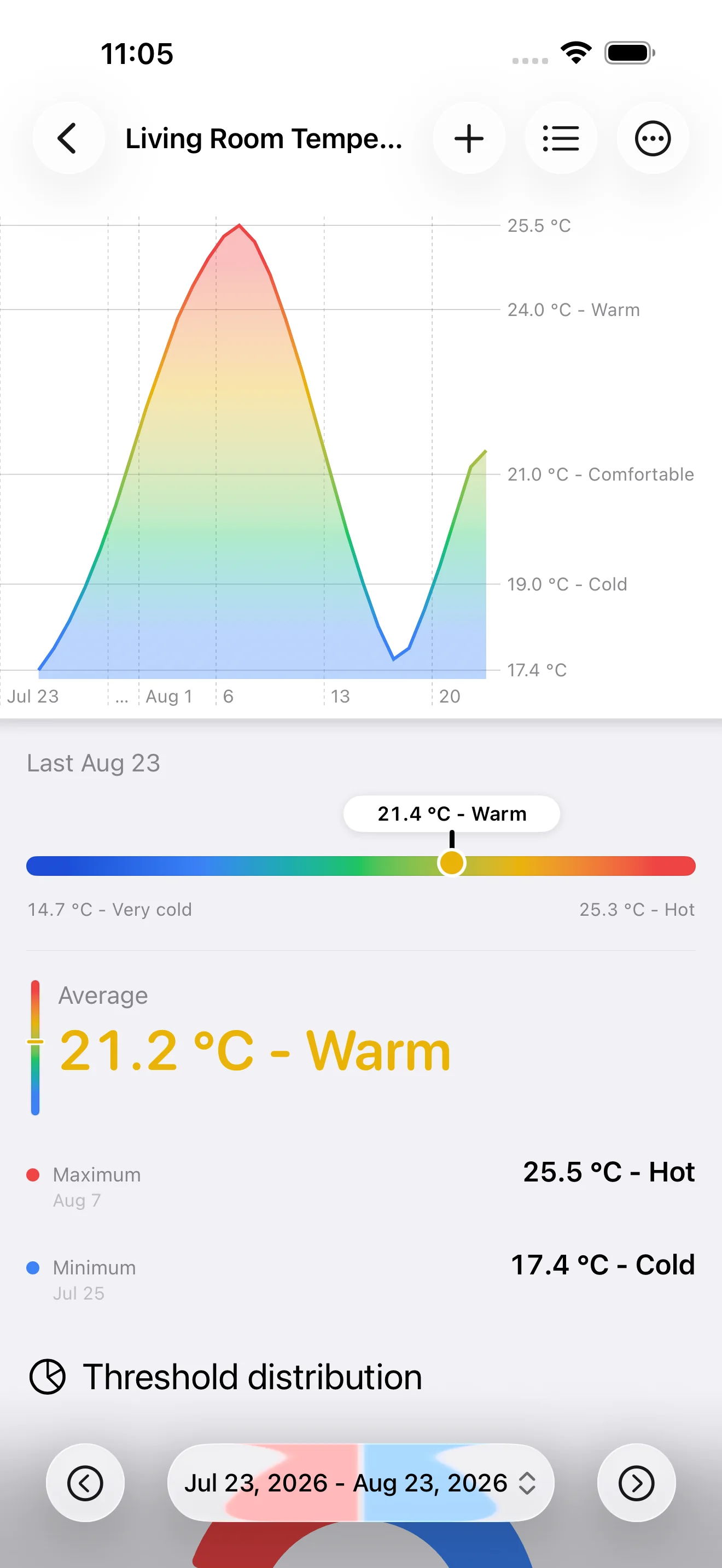
The chart, latest value, and essential statistics now come together in a clearer layout. Average, minimum, and maximum remain visible in one place, and you can choose the primary statistic to highlight based on what matters for each series.
A temperature series can emphasize its average, while a counter or activity tracker can bring a different summary value to the forefront.
Browse through time directly in the chart
The chart is now a true navigation tool. Scroll it to explore earlier periods, then return to the latest data without leaving the page.
The new period navigator also lets you move to the previous or next interval while keeping the displayed date range in view. Comparing two weeks, looking at a monthly trend, or finding an older event now feels more natural.
Import multiple series from one file
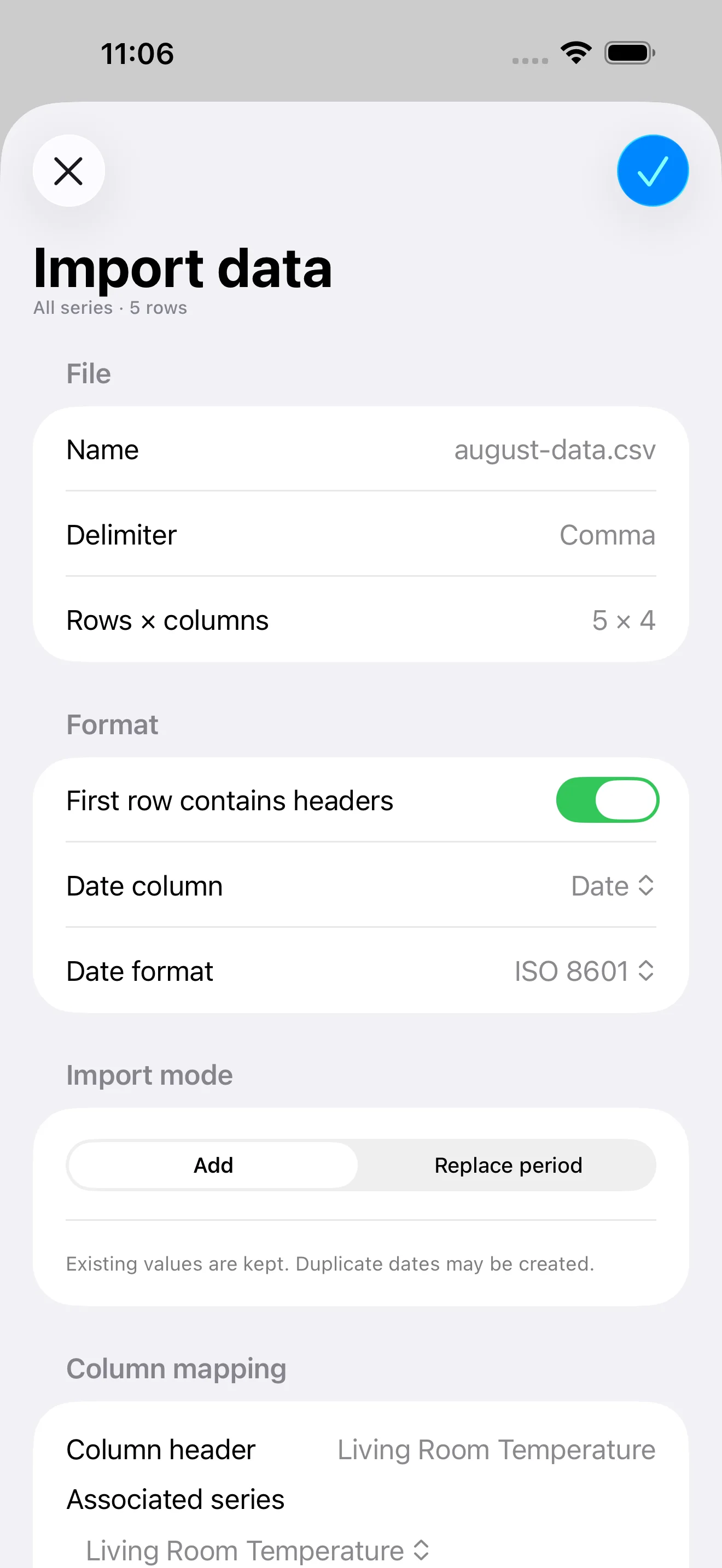
A single CSV file can now feed several series in one operation. DataJot detects its columns and lets you map each one to the corresponding series.
Before starting the import, you can check the date format, choose between appending values and replacing a period, and review a summary of the operation. This is especially useful when migrating a history or bringing back data from a spreadsheet or another service.
Export multiple series together
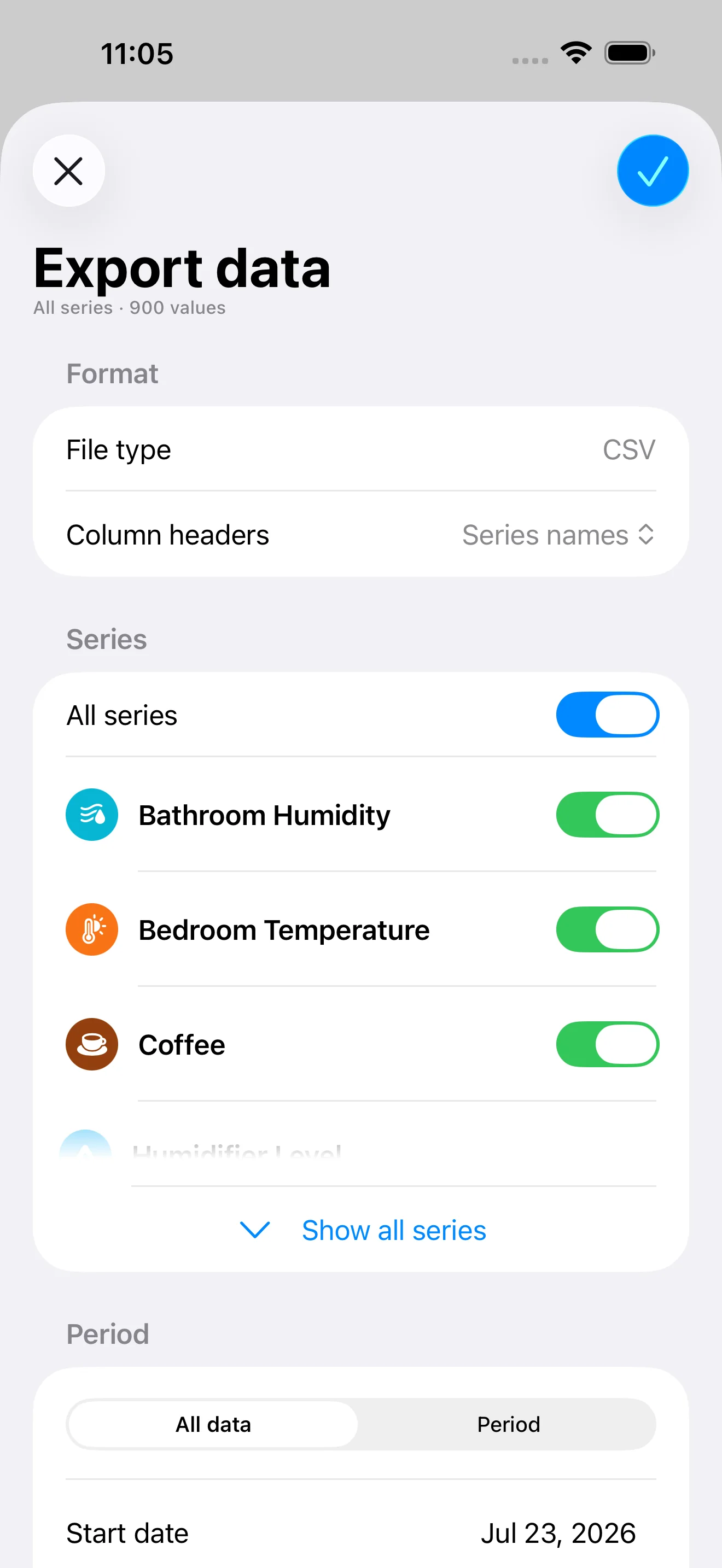
Export is no longer limited to one series at a time. Select every series or only the ones you need, choose the period to include, and generate a single CSV file.
Series names can be used as column headers, creating a file that is immediately readable in Numbers, Excel, or any other CSV-compatible tool. A summary lets you check the number of series and values before confirming.
An update centered on your data
With DataJot 1.5, browsing a history takes fewer steps and transferring data works better for collections of series. The update keeps the app simple while giving you more control over exploration, import, and export.